Connect your command station
Use the IP address of your ESU ECoS 50220 and TCP port 15471 on your local network.
 SpoorSlimby AuronetixBack to SpoorSlim
SPOORSLIM BOUWTESTER · WINDOWS & MAC
Switch turnouts, check occupancy detectors and export your test results as PDF or CSV. Practise with the demo station without hardware.
One-time purchase · Windows x64 · Mac Apple Silicon · Mac Intel
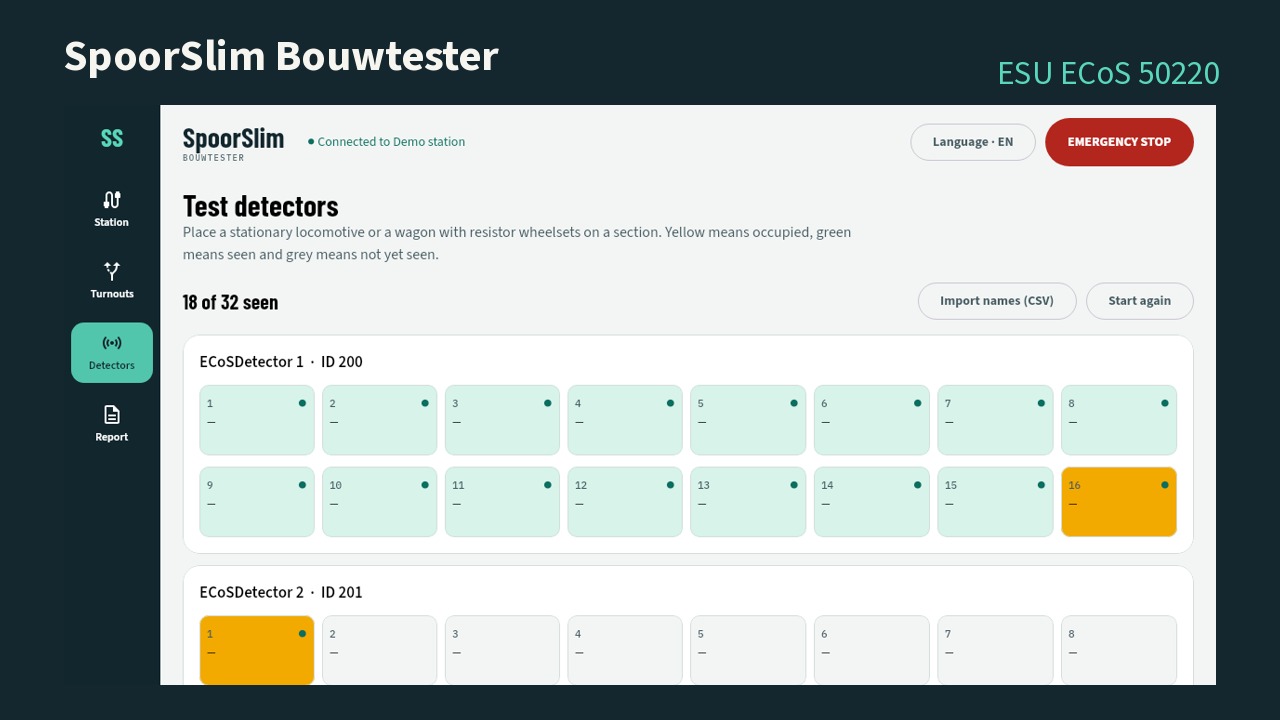
Use the IP address of your ESU ECoS 50220 and TCP port 15471 on your local network.
Switch turnouts to straight and diverging. See which detectors are occupied and which have reported before.
Save a session to continue later. Export a PDF or CSV for your build records.
The purchase includes three ZIP files. Choose Windows x64, Mac Apple Silicon or Mac Intel. Java is included.
The installers are unsigned. Windows or macOS may show a message when you open them. Installation instructions (NL/EN).